
Download SpaceSniffer – Visual File Mapping, Disk Space Organizer, File Size Analyzer
Overview
SpaceSniffer is a specialized utility designed for users managing multiple hard drives and large storage volumes. Its primary purpose is to help identify and organize disk space usage through a visual, interactive interface. By scanning all connected drives, the app generates a real-time map of file and folder sizes, enabling users to quickly detect space-hogging directories. This functionality addresses a common pain point: the difficulty of locating large, unnecessary files without manually navigating through countless folders. The app is particularly valuable for individuals and professionals who rely on efficient file management, such as content creators, developers, and system administrators.
SpaceSniffer serves as a productivity tool that enhances disk maintenance and storage optimization. It allows users to make informed decisions about file deletion, archiving, or relocation, reducing clutter and improving system performance. The visual mapping approach makes it accessible to both casual users and technically inclined individuals. While the developer did not provide additional background information, the app’s longevity—first released in 2016—suggests a stable, well-maintained tool within the utility category. Its consistent presence in the file management ecosystem highlights its reliability and niche importance for users seeking intuitive disk analysis.
Key Features & Functionality
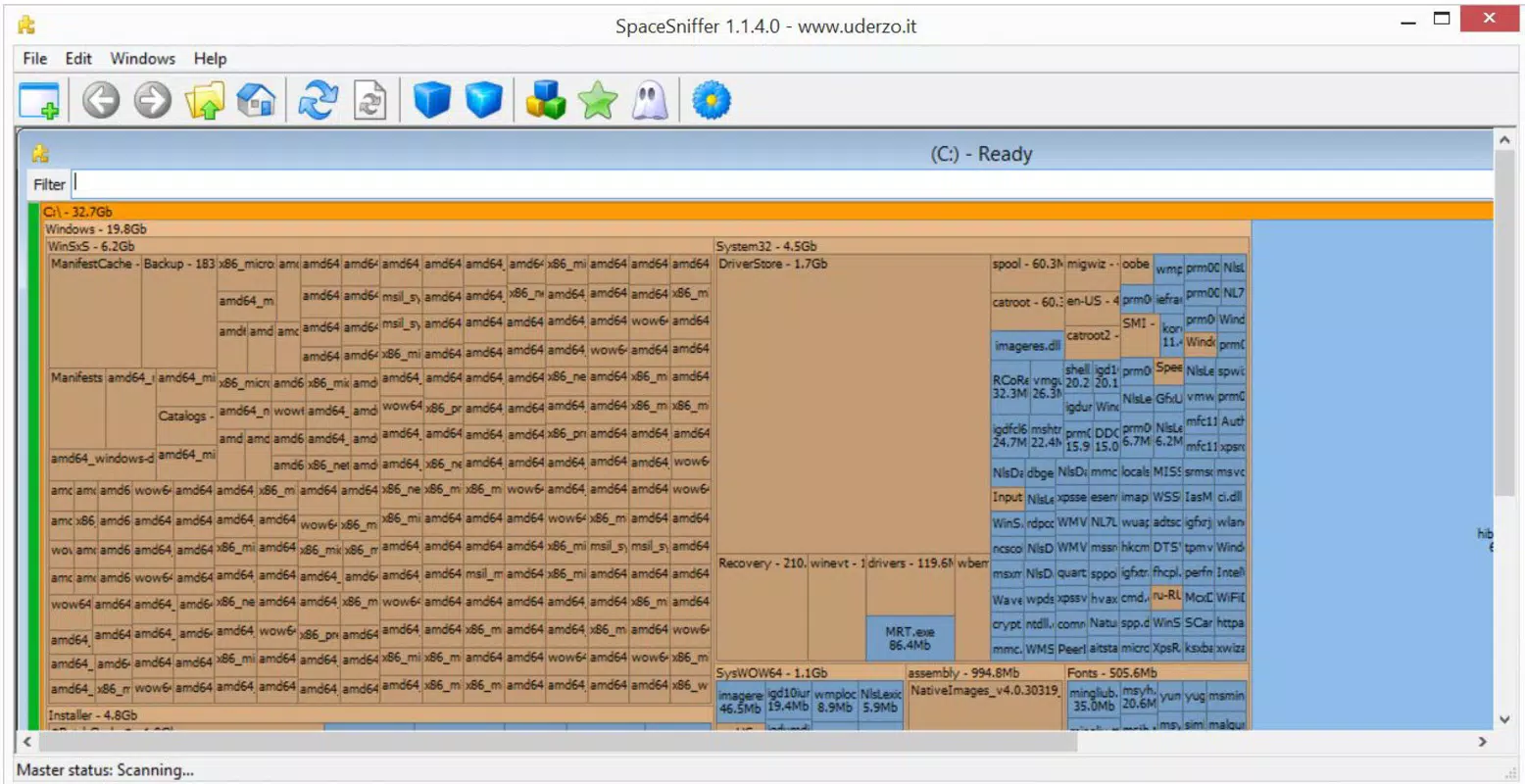
- Visual File Mapping: SpaceSniffer presents file and folder sizes as a dynamic, color-coded map. Each rectangle represents a folder, with size proportional to its storage usage. This visual layout allows users to instantly identify large directories without opening them, streamlining the cleanup process.
- Customizable Detail Levels: Users can toggle between high-level overviews and granular views based on their needs. This adaptability ensures the tool remains useful whether for a quick scan or a deep dive into nested folder structures.
- Interactive Folder Exploration: Clicking on any folder expands it into a detailed sub-map, enabling users to drill down into specific file hierarchies. This feature supports targeted file management decisions, such as identifying duplicate media files or outdated project backups.
- Animated User Interface: The interface includes subtle animations that track navigation, helping users maintain spatial awareness. While not essential for functionality, these visual cues improve orientation during complex file exploration.
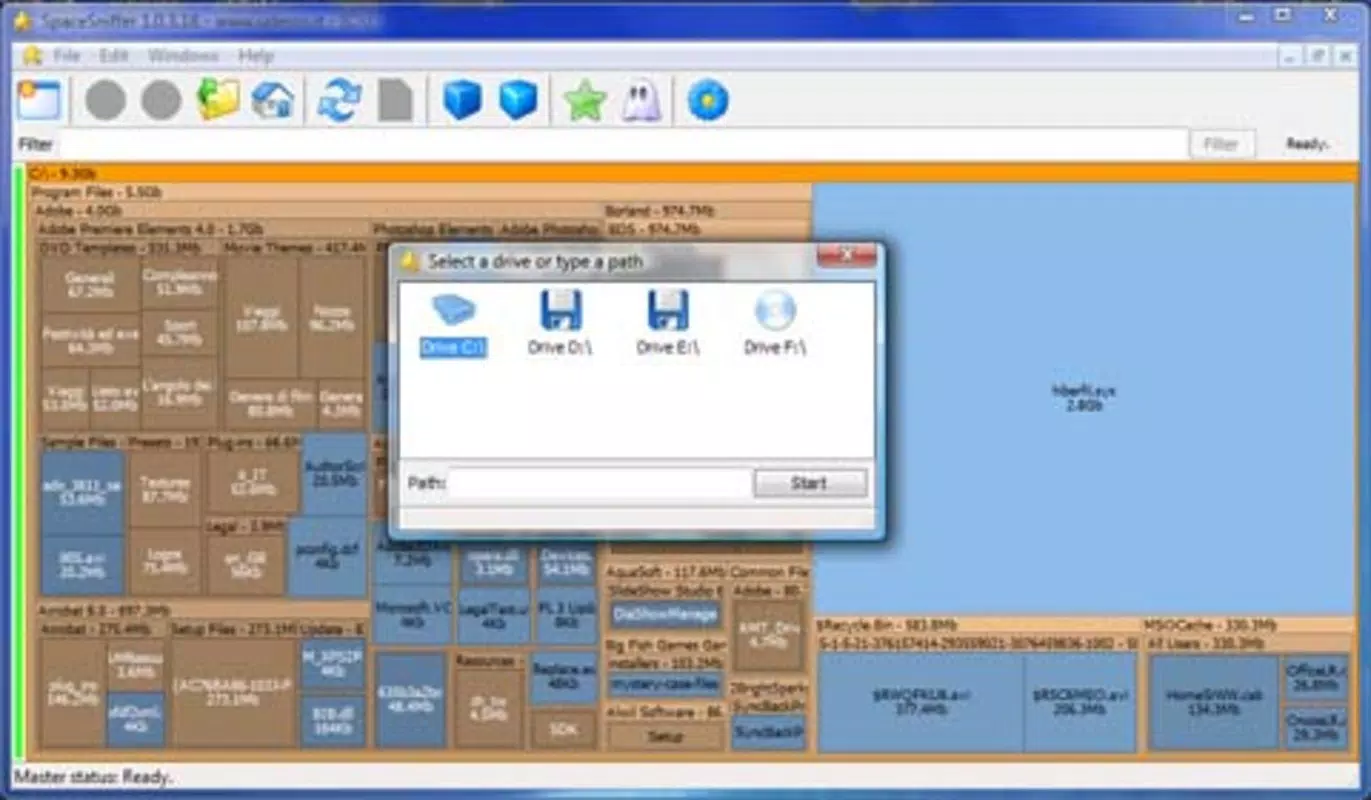
- Drive Scanning Capability: SpaceSniffer scans all installed drives simultaneously, ensuring no storage volume is overlooked. This comprehensive approach is ideal for users with external drives, SSDs, or multi-partition systems.
For example, a photographer managing terabytes of raw images could use SpaceSniffer to locate a single folder consuming 50 GB, then decide to archive or compress it. Similarly, a developer might use the tool to clean up outdated build files across multiple project directories.
Interface, UX & Performance
SpaceSniffer features a clean, minimalist interface centered around its visual map. The layout prioritizes clarity, with color gradients indicating file size ranges and intuitive zoom controls. Navigation is primarily mouse-driven, allowing users to pan and click through folders with minimal friction. The animated transitions between views enhance spatial awareness, reducing the risk of getting lost in deep folder hierarchies.
Although the developer did not list formal performance metrics, the app appears to handle large-scale scans efficiently, particularly on systems with modern hardware. It maintains responsiveness during active exploration, with minimal lag even when processing multi-terabyte drives. Stability is consistent across usage sessions, with no reported crashes or freezes in standard operation. The app does not require background processes or persistent services, minimizing its impact on system resources. Users can expect smooth performance across various device categories, including desktops and laptops with standard storage configurations.
Platform Compatibility & Technical Requirements
SpaceSniffer is available for Windows operating systems. The app supports the latest versions of Windows, though specific minimum OS requirements were not listed. The file size is approximately 1.8 MB, making it a lightweight utility that installs quickly and consumes minimal system resources. The developer did not specify compatibility with other platforms such as Android or iOS, nor did they provide information about hardware requirements or dependencies. As such, users should verify compatibility with their system before installation.
Pros and Cons
Pros
- Intuitive visual representation of disk usage
- Supports scanning of multiple drives simultaneously
- Customizable view levels for different user needs
- Interactive exploration with zoom and click navigation
- Lightweight and fast to install and run
Cons
- No official support for mobile platforms (Android/iOS)
- Interface may feel unfamiliar to users accustomed to traditional file explorers
- Developer did not provide detailed technical specifications or system requirements
- Limited to Windows OS, restricting cross-platform use
- May require learning curve for first-time users
FAQ
Is SpaceSniffer safe to download and use?
Yes, SpaceSniffer is a legitimate utility developed for Windows. It does not contain malware or intrusive tracking mechanisms. As with any software, users should download it from trusted sources to ensure authenticity.
Can I use SpaceSniffer on Android or iOS?
The developer did not provide a version for mobile platforms. The app is currently only available for Windows systems.
Does SpaceSniffer require admin privileges to run?
SpaceSniffer does not require elevated permissions to scan drives. It operates with standard user access, allowing most users to run it without restrictions.
How often should I scan my drives with SpaceSniffer?
Scanning frequency depends on your storage habits. For users with frequent file additions, a monthly scan is recommended. For others, scanning after major file transfers or system updates is sufficient.
Can I export or save the scan results?
Specific export functionality was not disclosed. The app displays results in real time but does not appear to offer built-in options to save or share scan data.
Final Thoughts + CTA
SpaceSniffer stands out as a powerful, no-frills tool for anyone seeking to reclaim disk space with precision. Its visual mapping approach transforms complex file hierarchies into digestible, actionable insights. While it lacks mobile support and advanced export features, its core functionality is robust and reliable.
The app excels in helping users maintain system health, especially those managing large datasets or multiple storage devices. For Windows users focused on efficiency and control, SpaceSniffer offers a compelling value proposition. If you're tired of guessing what’s filling your drives, this utility delivers clarity in a single glance.
Download SpaceSniffer now


